
Product Guide · Quick-Start Walkthrough
Getting Started with Watched on TV
Watched on TV helps you remember every TV series and film you have watched, track which season or episode you are currently on, queue upcoming returns, and exchange personal recommendations with friends — all in your web browser without linking streaming accounts or installing an app.
1. Two Ways to Build Your Initial Watchlist
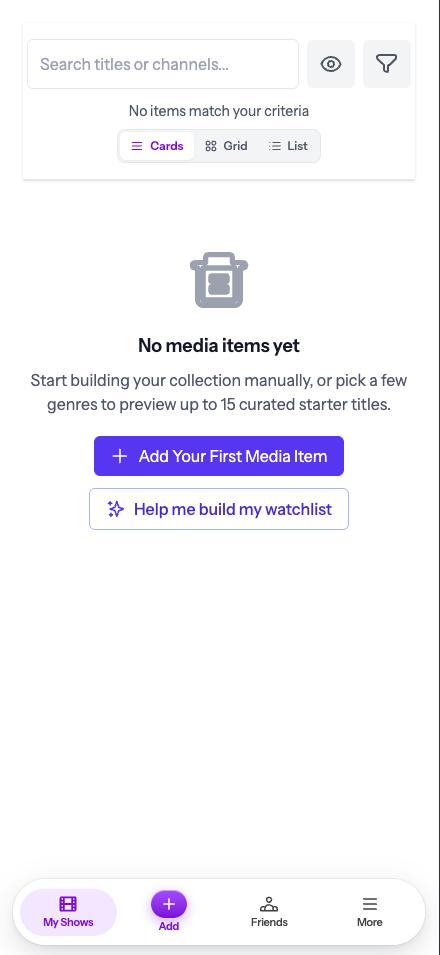
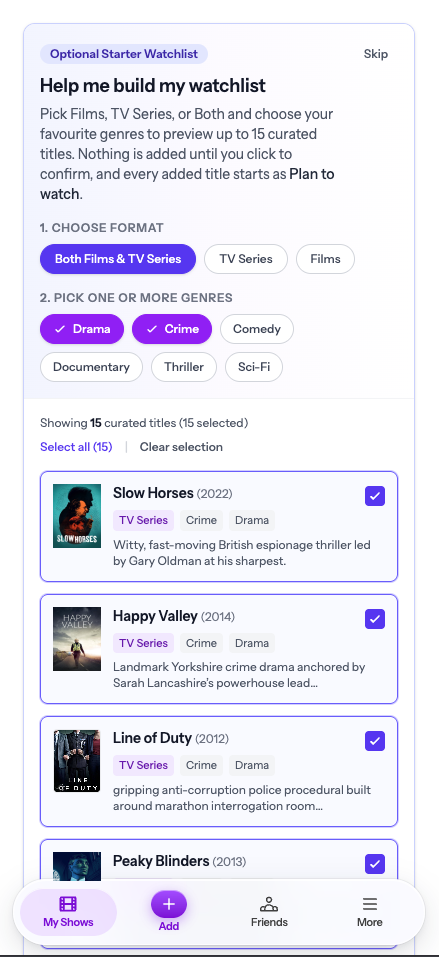
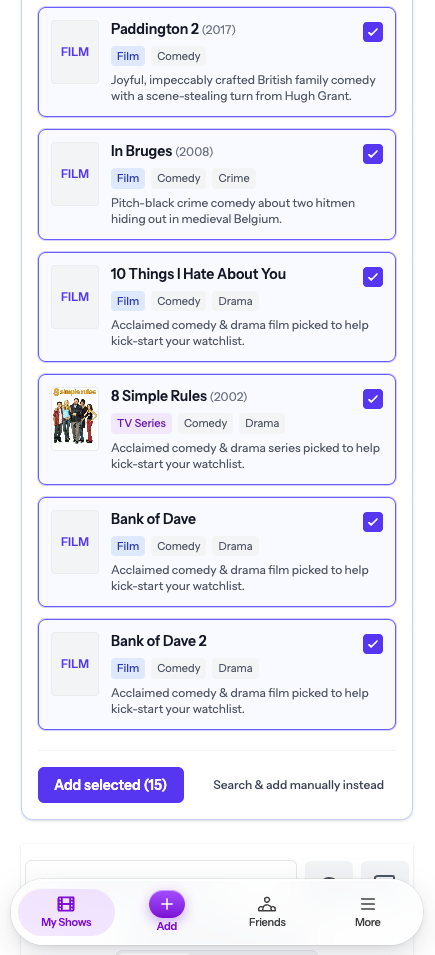
When you open My Watchlist for the first time, you can populate your collection using either the Guided Starter Builder or Quick Add Search:
2. Switching Views, Filtering & Recording Details
Once you have titles in your collection, you can tailor how your list is displayed and filter it in real time:
Three Display Layouts
Switch between detailed Cards (showing season badges, channel, and rating), visual Poster Grid, or high-density Compact List view.
1–5 Star Ratings & Private Notes
Give any watched film or series a 1 to 5 star rating, record the date you watched it, and keep private viewing notes visible only to you.
Channel, Genre & Status Filters
Filter your watchlist by status (Watched, Watching, Plan to Watch, Coming Soon), broadcaster/streamer (BBC iPlayer, ITVX, Channel 4, Sky, Netflix, Prime Video, Apple TV+), or genre.
3. Upgrading Your Guest Watchlist to a Free Permanent Account
Your instant guest watchlist stores up to 50 titles in your current browser session. When you're ready to access your list across your phone, tablet, and laptop — or unlock email alerts and friend sharing — upgrading takes 30 seconds and is 100% free:
- • Nothing is lost: Every title, season completion badge, 1–5 star rating, and private note from your guest session transfers automatically.
- • Unlimited titles: The 50-title guest cap is removed immediately.
- • New-Season Email Alerts: Receive an email alert when a tracked TV series has a new season announced.
- • Friend Recommendations: Connect with friends by email and send or receive show and film recommendations.
